
Real product preview
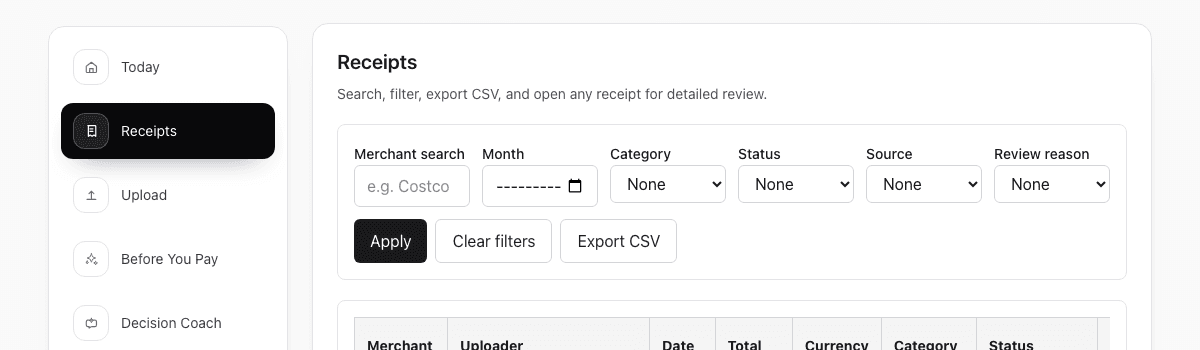
One receipt, read by OCR, tagged with its purpose, ready for review. This is the screen your team and your accountant share.
Tax-ready receipt records
ReceiptCue helps you capture receipts, extract the important details, and keep tax-ready records organized before tax season becomes a scramble through folders, photo rolls, and spreadsheets.
ReceiptCue helps organize proof and follow-through. Deductibility still depends on your situation and local tax rules.
Real product preview
One receipt, read by OCR, tagged with its purpose, ready for review. This is the screen your team and your accountant share.
Who this page is for
This workflow is strongest when tax deductions depend on keeping the original proof and its important details easy to recover later.
Keep deductible expenses from disappearing between client work and filing season.
Hold onto business purchase proof without turning every month into manual bookkeeping cleanup.
Review organized records later without depending on a maze of renamed files and spreadsheet rows.
What usually goes wrong
Most tax-season pain does not come from missing software. It comes from missing follow-through after the purchase.
Proof gets separated from context
The image lives in one folder, the amount is in a spreadsheet, and the category is in someone's memory.
Bad records harden over time
If merchant, date, or amount looks wrong, it is much harder to fix three months later than three minutes later.
Filing season becomes a document scramble
By the time deductions are reviewed, the proof exists somewhere but is not organized well enough to trust quickly.
How ReceiptCue helps
ReceiptCue focuses on the part most tools skip: keeping the receipt usable later, not just stored somewhere.
Upload receipts before they disappear into pockets, folders, or photo rolls.
Use OCR as the first pass, then verify the merchant, amount, and date while the purchase is still easy to remember.
Keep the proof image and the searchable details together so deduction review is faster and less fragile.
Comparison
The issue is not whether a receipt is saved somewhere. The issue is whether the saved proof is still easy to trust and recover when you file.
| What breaks | Folder | Spreadsheet | ReceiptCue |
|---|---|---|---|
| Original proof | Image may exist, but the important context is usually outside the file. | Context may be tracked, but the original proof is often linked loosely or not at all. | Keeps the original receipt and key details attached to the same record. |
| Searchability | Depends on filenames and memory. | Depends on row hygiene and manual linking. | Find the record by receipt details instead of guessing where the file lives. |
| Field review | No built-in workflow for checking merchant, amount, or date. | Possible, but fully manual. | OCR gives a first pass and review keeps the record trustworthy. |
| Shared review | Hard to know what was checked or still missing. | Easy to edit, harder to trust. | Supports collaborative review without turning every reviewer into an uncontrolled editor. |
| Filing season readiness | Usually becomes a manual reconstruction project. | Still requires chasing original proof and mismatched rows. | Keeps proof readable and easier to export or revisit when filing season arrives. |
Start today
Upload it, write one line about what it was for, and see exactly what your accountant will see.
No credit card required. No bank login.
Tax receipt FAQ
These are the questions people usually ask when they realize saving the image is not the same as keeping a usable record.
Yes. Digital receipt records are often easier to search and review later, as long as the original proof and the important details stay together. Local rules still apply.
At minimum, keep the original receipt image plus the merchant, amount, date, and enough context to understand what the purchase was for.
Because storage alone does not make the proof easy to review later. Tax-season work breaks when the image, the details, and the business context are scattered across different places.
No. The important part is keeping the original proof and the key details together while the purchase is still fresh. Clean structure matters more than perfect filenames.
Yes. ReceiptCue supports accountant-friendly access patterns so records can be reviewed without treating every collaborator like a full editor.
No. ReceiptCue helps you organize proof and keep records usable later. Deduction eligibility still depends on your situation and local rules.