
Real product preview
One receipt, read by OCR, tagged with its purpose, ready for review. This is the screen your team and your accountant share.
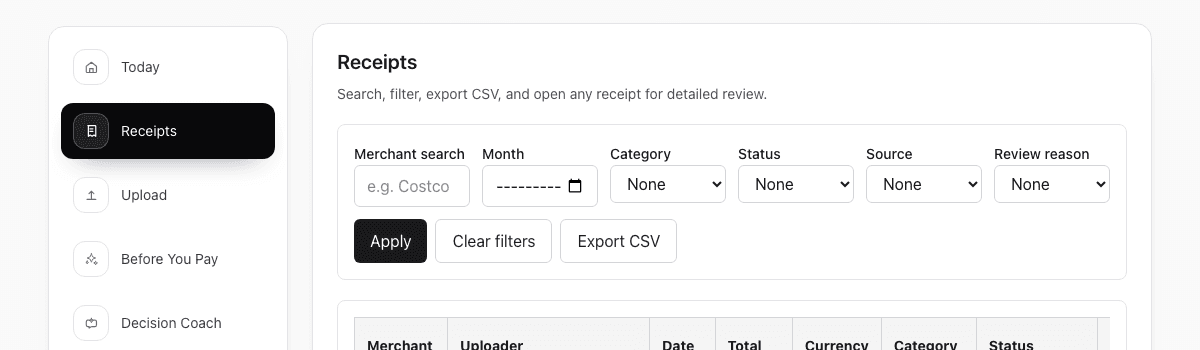
Small-business receipt workflow
ReceiptCue helps small-business owners and lean teams keep receipt proof, review status, and accountant-ready details in one workflow instead of scattered across folders and spreadsheets.
ReceiptCue helps organize proof and review. Tax treatment and bookkeeping decisions still depend on your situation.
Real product preview
One receipt, read by OCR, tagged with its purpose, ready for review. This is the screen your team and your accountant share.
Who this page is for
This workflow is strongest when receipts pass through more than one person before they are finally trusted.
Keep purchases visible before month-end turns into manual reconstruction.
Give employees and managers one place to capture proof without breaking review later.
Hand off clearer records instead of a pile of receipts and spreadsheet rows.
Common problems
The same purchase can touch an employee, a manager, an owner, and an accountant. Manual systems lose context at every handoff.
Proof lives in too many places
Files, photos, chat messages, and spreadsheet rows all try to represent the same purchase.
Review status stays invisible
No one is sure which records are clean, which need clarification, and which are still missing proof.
The accountant receives cleanup, not a handoff
By the time records are exported, the business is still explaining what each receipt was for.
How ReceiptCue helps
ReceiptCue keeps the receipt file, the key fields, and the review workflow in one place so each handoff starts cleaner than the last.
Bring receipts in while the purchase is still easy to explain instead of waiting for month-end.
Confirm merchant, amount, date, and category while the right person still remembers the purchase.
Let managers, owners, and accountants read the same trail instead of rebuilding it from multiple systems.
Comparison
The issue is not whether a receipt is saved somewhere. The issue is whether the saved proof is still easy to trust and recover when you file.
| What breaks | Folder | Spreadsheet | ReceiptCue |
|---|---|---|---|
| Original proof | Image may exist, but the important context is usually outside the file. | Context may be tracked, but the original proof is often linked loosely or not at all. | Keeps the original receipt and key details attached to the same record. |
| Searchability | Depends on filenames and memory. | Depends on row hygiene and manual linking. | Find the record by receipt details instead of guessing where the file lives. |
| Field review | No built-in workflow for checking merchant, amount, or date. | Possible, but fully manual. | OCR gives a first pass and review keeps the record trustworthy. |
| Shared review | Hard to know what was checked or still missing. | Easy to edit, harder to trust. | Supports collaborative review without turning every reviewer into an uncontrolled editor. |
| Filing season readiness | Usually becomes a manual reconstruction project. | Still requires chasing original proof and mismatched rows. | Keeps proof readable and easier to export or revisit when filing season arrives. |
Start today
Upload it, write one line about what it was for, and see exactly what your accountant will see.
No credit card required. No bank login.
Tax receipt FAQ
These are the questions people usually ask when they realize saving the image is not the same as keeping a usable record.
Yes. Digital receipt records are often easier to search and review later, as long as the original proof and the important details stay together. Local rules still apply.
At minimum, keep the original receipt image plus the merchant, amount, date, and enough context to understand what the purchase was for.
Because storage alone does not make the proof easy to review later. Tax-season work breaks when the image, the details, and the business context are scattered across different places.
No. The important part is keeping the original proof and the key details together while the purchase is still fresh. Clean structure matters more than perfect filenames.
Yes. ReceiptCue supports accountant-friendly access patterns so records can be reviewed without treating every collaborator like a full editor.
No. ReceiptCue helps you organize proof and keep records usable later. Deduction eligibility still depends on your situation and local rules.