
Real product preview
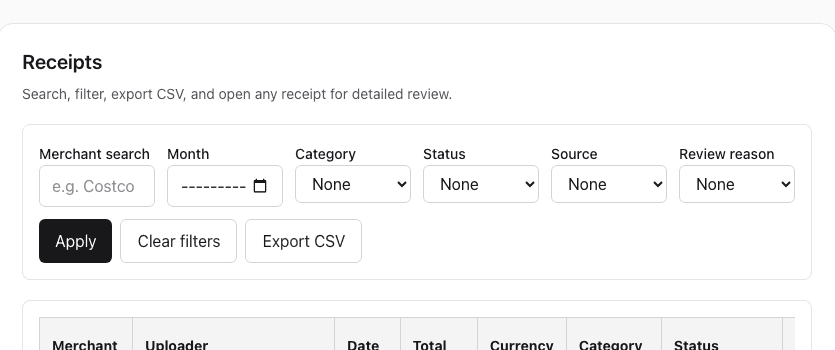
One receipt, read by OCR, tagged with its purpose, ready for review. This is the screen your team and your accountant share.
Comparison guide
Folders can store receipt files, but they rarely preserve the context, review status, and later handoff quality that make the proof usable when it matters.
This comparison is about what stays review-ready later, not a claim that folders have no place at all.
Real product preview
One receipt, read by OCR, tagged with its purpose, ready for review. This is the screen your team and your accountant share.
Who this page is for
This guide is useful when the files are technically saved but the real question is whether anyone can still review them cleanly later.
See whether the folder structure really makes tax-season review easier later.
See what gets lost when filenames and memory carry too much of the process.
See whether “we saved everything” is enough once the questions start.
Common problems
The original proof may still exist, but the reason it mattered, the review status, and the missing details often disappear around it.
Search depends on filenames and memory
If the file was named poorly or sorted loosely, the later review already starts with guesswork.
There is no field review workflow
Folders do not help confirm merchant, amount, date, or missing details while the purchase is still fresh.
Shared review becomes copy-and-chase work
The more people who need to look at the file, the more the process turns into side-channel explanations.
How ReceiptCue helps
ReceiptCue adds the field review, searchability, and handoff quality that folders usually leave to manual discipline.
Keep the receipt file attached to a record that can still be searched by the details that matter later.
Confirm the important fields while the purchase is still easy to remember instead of hoping the folder structure will save you later.
Give teammates and accountants one clearer place to review instead of sending them back through directories.
Why not a folder or spreadsheet?
The problem is not storage. It is that the purpose, the proof, and the person who knows are in three different places by tax time.
| What breaks | Folder | Spreadsheet | ReceiptCue |
|---|---|---|---|
| Capture speed | Save files somewhere and hope you rename them later. | Track the purchase separately from the actual receipt image. | Capture the receipt and keep the file attached to the record from the start. |
| Search and retrieval | Relies on memory, filenames, and manual sorting. | Relies on manual row hygiene and matching cells back to files. | Keeps the proof and key details together in one searchable workflow. |
| Purpose and context | Nobody remembers what the receipt was for by tax time. | A notes column, if anyone fills it in. | Purpose is captured in ten seconds, by the person who spent, right when the receipt is. |
| Shared review | Hard to know who checked what. | Easy to edit, harder to trust. | Supports shared visibility and accountant-friendly review across workspaces. |
| Who is behind | You find out in March. | Only if someone reconciles by hand every month. | Missing receipts and purposes are flagged, and the right person is reminded. |
Start today
Upload it, write one line about what it was for, and see exactly what your accountant will see.
No credit card required. No bank login.
Comparison FAQ
If the files are technically saved but still feel hard to reuse later, these are usually the real questions behind it.
Folders can be enough when receipt volume is low and the same person can reliably remember what each file was for later.
Searchability and context usually break first because the workflow relies so heavily on filenames and memory.
Better names help, but they still do not create field review, shared visibility, or a cleaner later handoff on their own.
Shared folders can remain useful for archive storage, but the live review workflow usually needs something more structured.
Yes. The same folder problems show up in reimbursements, shared review, and accountant handoff long before filing season.
Not always. The better choice depends on whether you only need storage or you need later review to stay clean too.