
Real product preview
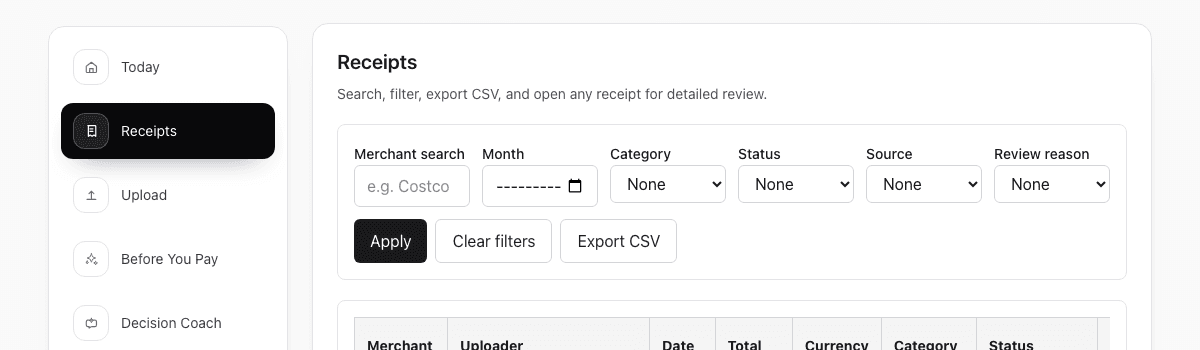
One receipt, read by OCR, tagged with its purpose, ready for review. This is the screen your team and your accountant share.
Reimbursement checklist
This page turns the reimbursement receipt workflow into a short checklist so you can reduce the usual back-and-forth before managers or finance review begin.
This is an organizational checklist, not a promise of approval. Reimbursement still depends on your company or project rules.
Real product preview
One receipt, read by OCR, tagged with its purpose, ready for review. This is the screen your team and your accountant share.
Who this page is for
This checklist is useful when the pain is not filling the form itself, but keeping the proof clean enough to survive review.
Use the checklist to keep proof cleaner before the expense report is even opened.
Use the checklist to reduce the number of obvious follow-up questions later.
Use the checklist to keep one cleaner trail across the submitter and the reviewer.
What usually goes wrong
Most reimbursement pain is not about policy complexity. It usually comes from weak proof, missing fields, or no context for the reviewer.
The original proof is missing or hard to read
The file may exist somewhere, but it is not attached cleanly to the record you need to submit.
The key fields were never confirmed
Merchant, amount, date, or category issues survive longer than they should because no one checked them early.
The reviewer still has to ask what this was for
The proof is present, but the context needed to trust it never got written down.
Checklist steps
This is the minimum cleanup pass that usually prevents a lot more back-and-forth after submission.
Make sure the receipt image or PDF is attached, readable, and connected to the record you will actually submit.
Confirm merchant, amount, date, and category while the purchase still makes sense to you.
Add enough context so the reviewer can understand the expense without chasing you first.
Start today
Upload it, write one line about what it was for, and see exactly what your accountant will see.
No credit card required. No bank login.
Reimbursement FAQ
These are the questions people usually ask when reimbursement pain starts after the purchase, not at the claim form.
As soon as practical after the purchase. The sooner the proof is captured, the easier it is to keep the details accurate and the record usable later.
Keep the original receipt image plus the merchant, amount, date, and enough context to understand what the purchase was for.
A spreadsheet can track claims, but it usually does not keep the original proof organized enough to answer review questions quickly.
No. It is better to capture the receipt and review the key details soon after the purchase, then reuse the same record when the claim is ready.
Yes. ReceiptCue supports workspace-based visibility so the same record can be captured by one person and reviewed by another.
Yes. ReceiptCue is designed to support reviewer access without assuming every collaborator should have full edit control.